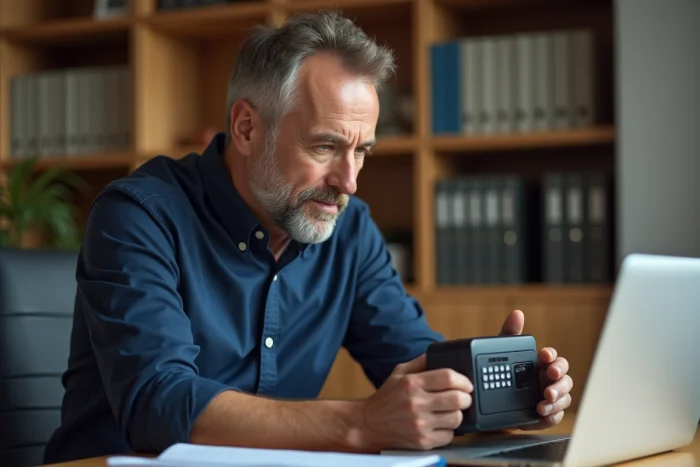
You are trying to open your Arkevia vault to retrieve a payslip, and the login page refuses your password. Or worse, the activation code sent by email never arrives. These blockages often affect employees who have changed employers without updating their contact address. Here’s how to regain control of your account, step by step.
Deactivated professional email address: the most common trap on Arkevia
The majority of access issues with the Arkevia vault share a common origin. The account was created with a professional email address, and that inbox was deleted after leaving the company.
When you request a password reset, the link goes to an address that no longer exists. Without access to the original email, the standard procedure does not work. It’s a vicious circle that many employees discover too late.
The practical documentation recommends migrating to a personal email address as soon as you receive the first dematerialized payslip. This operation takes just a few minutes in the account settings. It avoids weeks of procedures if you leave your employer. To better understand the technical causes and resolve an Arkevia vault access issue, changing your address remains the first reflex to adopt.

Access recovery Arkevia: biometrics and QR code since January 2026
Have you noticed that account recovery used to be limited to an email or SMS? That is no longer the only available path.
Since January 2026, an amendment to ordinance n° 2016-65 regarding the dematerialization of payslips requires HR vaults like Arkevia to offer access recovery via biometrics or QR code. In practical terms, this means that your smartphone’s fingerprint or facial recognition can be used to prove your identity and unlock your account.
How to activate biometric recovery
The procedure goes through the MyArkevia mobile app. Open the security settings, then enable the “Recovery by biometrics” option. The system will then register your fingerprint or face as a backup authentication factor.
If your phone has changed in the meantime, the QR code option allows you to link a new device by scanning a code generated from the web interface, provided you still have partial access (active session on a browser, for example).
When biometrics are not enough
Some situations remain blocking. If you never activated biometrics before losing access, that channel will not be available. In this case, you need to go through Arkevia support. An online chat has been set up since late 2025 to handle these unlocking requests. It partially replaces email exchanges, which are often slow.
Arkevia password refused: diagnosis before resetting
Before starting a recovery procedure, check a few simple points. A refused password does not always mean an account problem.
- Check the caps lock key. The Arkevia password is case-sensitive, and an unintentional uppercase letter is enough to block the connection.
- Test another browser or clear the cache of the current browser. Corrupted cookies can prevent the correct sending of credentials to the server.
- Ensure that the URL is indeed that of the official MyArkevia portal, and not an old redirected address. A faulty redirection can display a non-functional login page.
A simple change of browser resolves a significant portion of reported blockages. It may seem trivial, but browser extensions (password managers, ad blockers) sometimes interfere with the login form.
Document retention and access after departure: what Arkevia guarantees
A common doubt among former employees is: are my payslips still in the vault after my departure?
The answer is clear. Arkevia retains your documents for 50 years, regardless of your employment status. Even if the company that opened the vault has changed providers or closed, the documents remain accessible in your personal space.
This retention period, compliant with regulations on personal data archiving and GDPR, means that the account belongs to you. The employer does not have the ability to delete your documents or close your access.
Finding an account you forgot about
If you do not remember having an Arkevia vault, search your old emails for a message containing “MyArkevia” or “vault activation.” The initial activation message contains the account identifier. With this identifier and a reset procedure, you can regain access even after several years of inactivity.
The platform does not require regular login to keep the account active. Your digital vault remains accessible even without login for several years.
The key difference between a blockage lasting a few minutes and a procedure taking several weeks is preparation. Migrating your email address, activating biometrics, noting your identifier somewhere: these simple actions transform a potentially frustrating problem into a quick formality.